AI Driving Companion

A voice AI driving companion designed to keep you awake, engaged, and safe on the road.
Role → UX designer & researcher
Timeline → Sep. 2025 - Dec. 2025
Team → Noraa Alnafie, Juna Kim, Jade Wang

01

Context and overview

Ever fallen asleep behind the wheel?

Drowsy driving causes tens of thousands of crashes and hundreds of deaths each year in the U.S., a problem intensified by increasingly long daily commutes that leave drivers fatigued. Existing countermeasures, like caffeine, entertainment, or reactive safety features, offer only short-term or insufficient support, revealing a clear opportunity to design more proactive, effective ways to keep drivers awake and engaged.

This project took place during the Autumn quarter of my first year in the MS in Human-Centered Design & Engineering program at the University of Washington, as part of HCDE 518: User-Centered Design. Over the span of ten weeks, my team and I identified a design problem, developed a solution, and ultimately presented our work at a final showcase.

What I did

  • I collaborated on the full design lifecycle, from initial concept to final validation. I specifically spearheaded the preliminary survey (gathering 25 responses) and led social media listening research to uncover the key insight that drivers use social interaction to stay alert.
  • I layed a core role in our "Wizard-of-Oz" usability testing by managing the technical execution—simulating AI responses, sound effects, and phone calls in real-time to create a realistic in-car experience for our users.
  • I contributed to critical design pivots using the RITE method, helping the team refine the product based on user feedback—such as resizing the physical companion for better visibility and rebranding one of our features.

02

User research and discovery

What do drivers already do to manage their fatigue?

We employed a mix of methods to understand the driver's mindset, leveraging each method's strengths to gather significant supporting data in a short time frame.
  • Surveys (12 + 25 respondents): Targeted broad exploration of common complaints that drivers face on the road
  • Interviews (8 participants): In-depth discussions to understand coping strategies, filling in the gaps of the survey method.
  • Indirect Observation: Social media listening (TikTok, Reddit) to reach a diverse pool of participants outside our immediate network.

Key Findings

  • The Audio Habit: 80% of drivers already rely on audio inputs like music and podcasts to maintain focus, making audio a familiar channel for intervention.
  • The "Spotlight Effect": While passengers can be distracting, the "spotlight effect" of accountability (having someone else in the car with them) keeps some drivers more focused due to having "a second set of eyes".
  • The Trade-off: Drivers face a trade-off between distraction and alertness; while 60% initially feared conversation would worsen focus, many admitted they feel more awake when talking to someone.

Personas

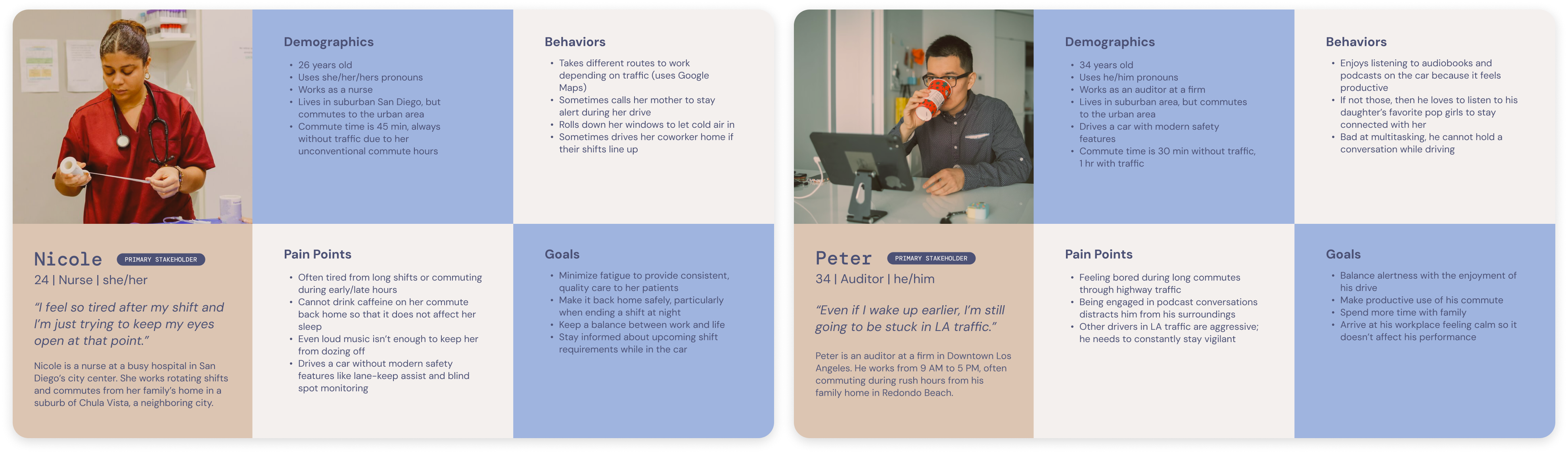
We synthesized our data into two primary stakeholders: Nicole & Peter. We used our personas to drive our future design decisions, using them as the foundation for our ideation phase.

03

Ideation and sketching

From mundane to fanciful

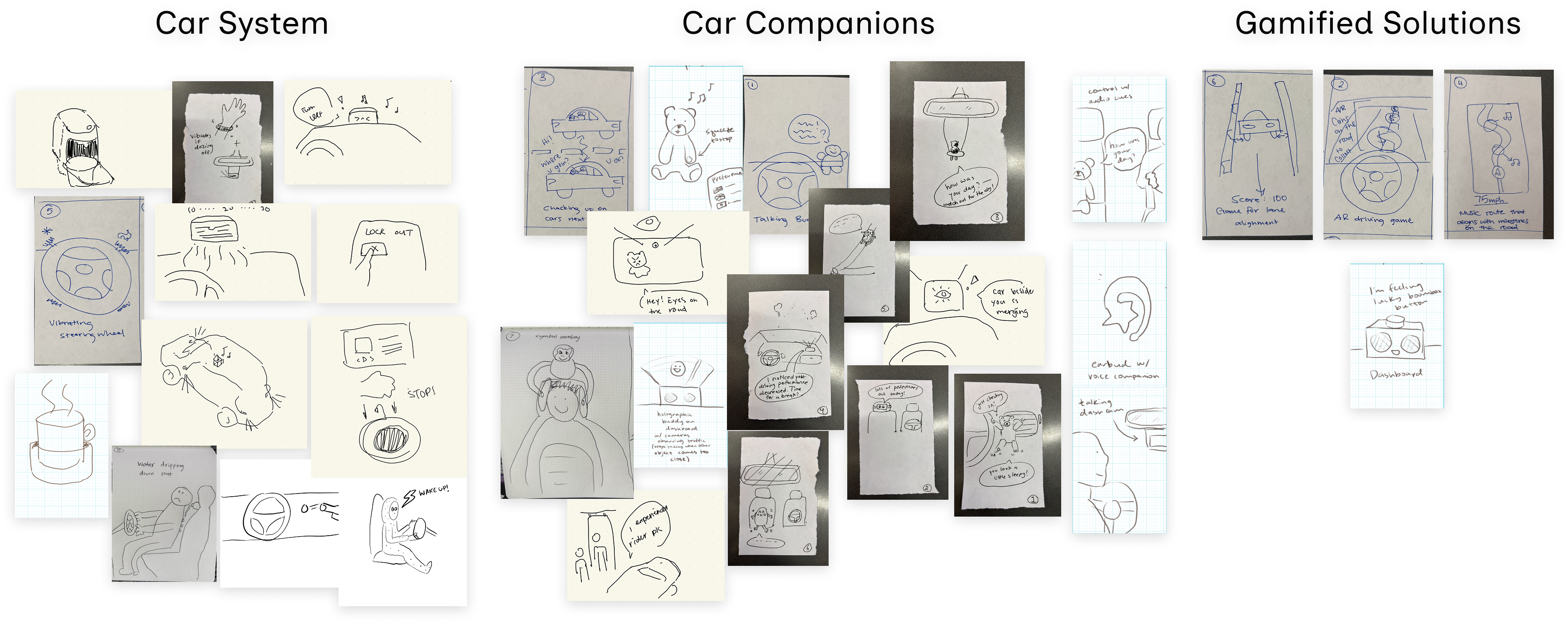
After finalizing our research findings, we got to work on ideation. Each of us contributed 8 sketches of diverse concepts to address the problem. We performed affinity mapping, helping us see common themes in our sketches:
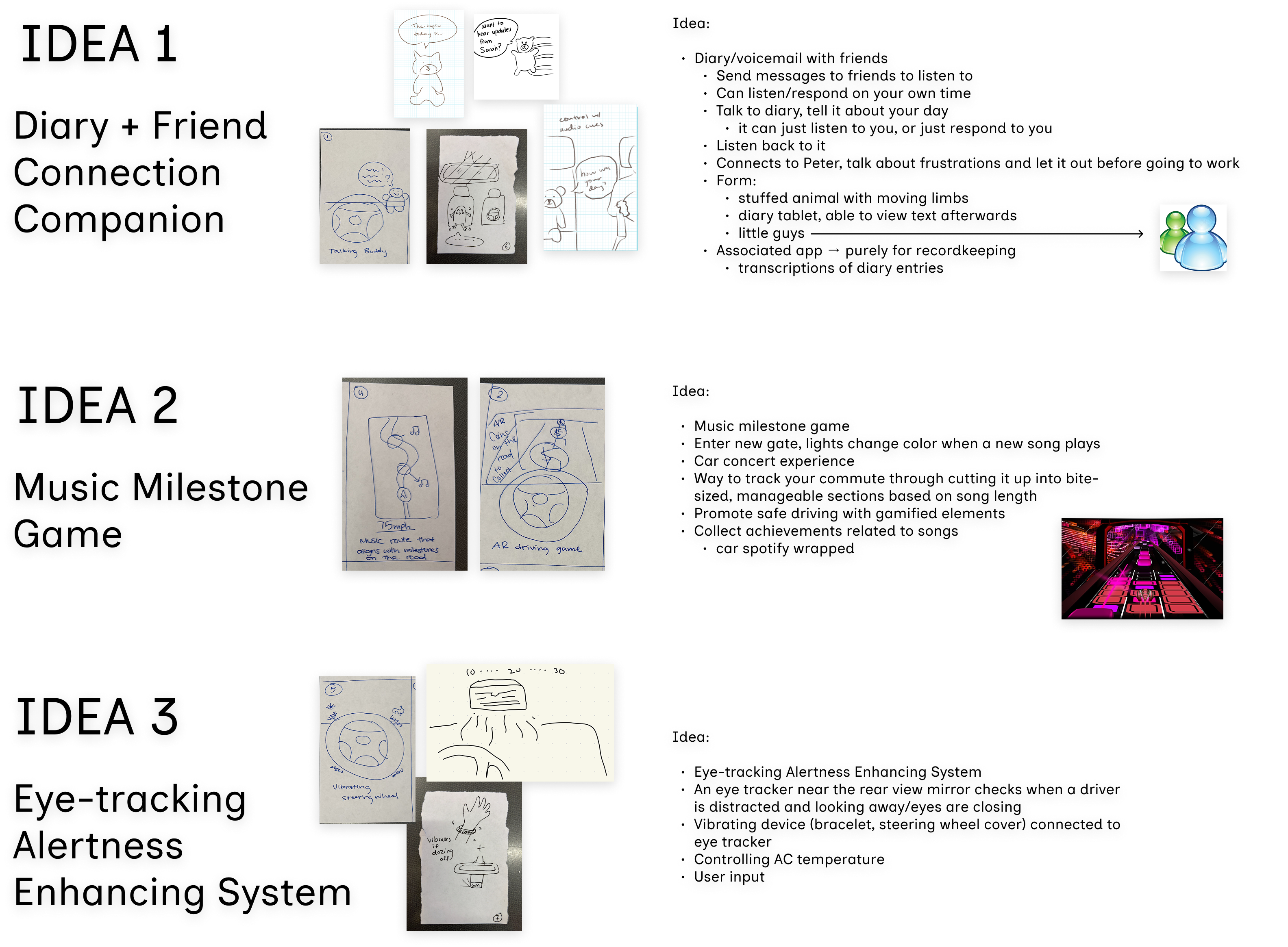
After this, we synthesized the most promising ideas from each category into three fleshed-out concepts.
We selected the Diary + Friend Connection Companion concept because it combats both drowsiness (Nicole) and boredom (Peter) while offering the flexibility of social connection versus private productivity. Crucially, it relies entirely on voice, avoiding the visual distraction risks inherent in AR or screens present in our other ideas.

04

Prototyping and iteration

The Wonderful Wizard-of-Oz... prototyping!

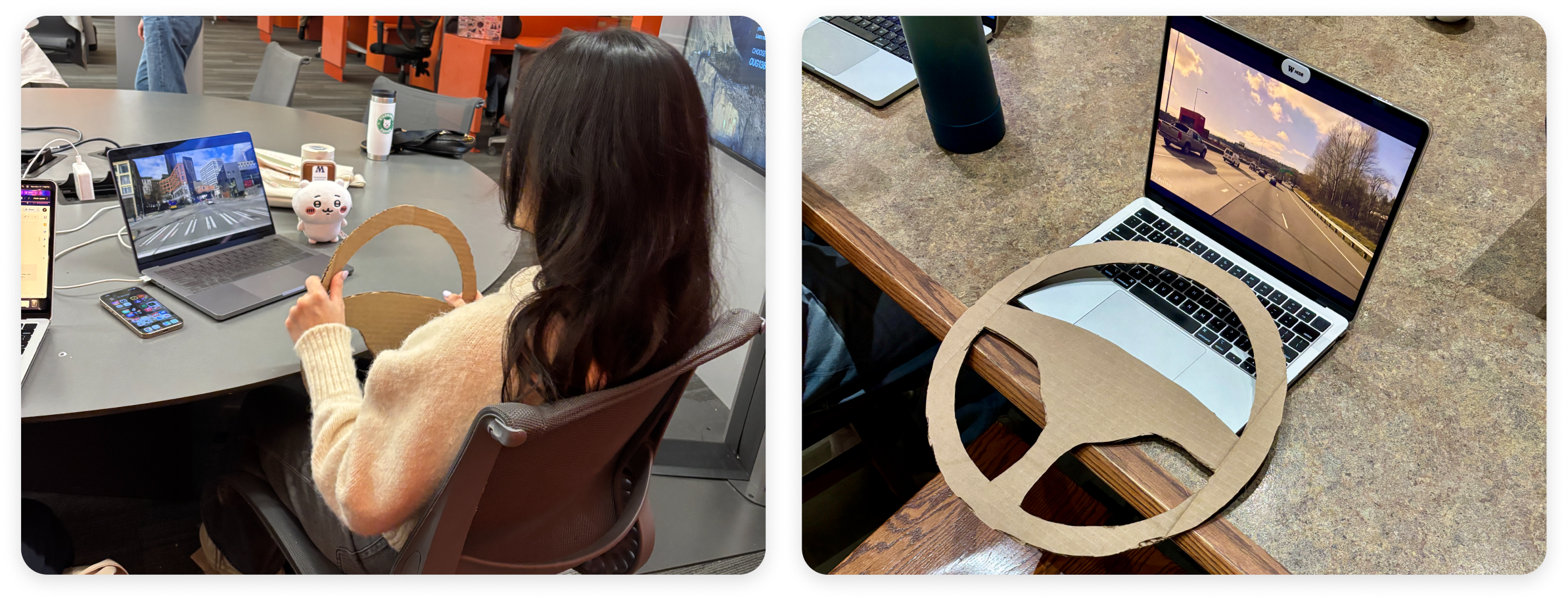
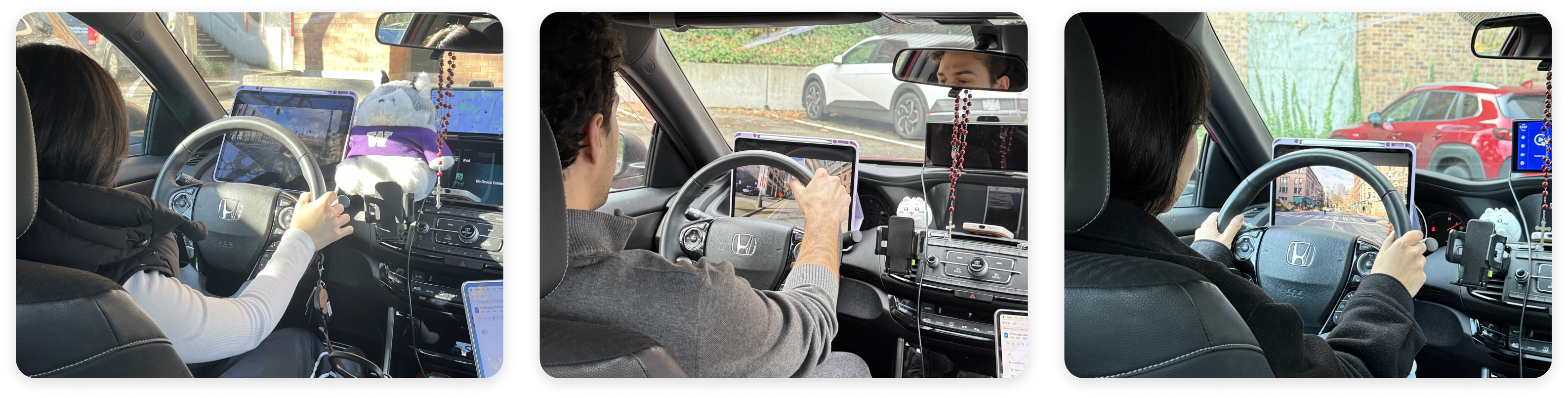
To ensure our testing was immersive, we evolved our environment based on early feedback. We began with pilot sessions in a classroom setting using a low-fidelity setup: participants sat at a desk with a cardboard steering wheel and paper pedals to simulate driving.
However, we quickly realized that this environment was insufficient; participants struggled to feel "immersed" in the role of a driver, which limited the quality of our insights.
To address this, we shifted our testing environment to a parked vehicle for the main study. This change allowed participants to interact with the vehicle's actual interior (e.g., dashboard placement, acoustics), providing a level of realism that was critical for evaluating the companion's safety and usability.
  • The Setup: We utilized a Wizard-of-Oz protocol where a team member simulated the AI's responses remotely while the participant "drove" using an iPad simulator placed in front of the steering wheel.
  • The Simulation: We cycled through three distinct video environments, like urban traffic, rural highways, and congestion, to test how interaction needs shifted based on driving cognitive load.
  • The Participants: We tested with a total of 5 users (2 pilot, 3 full tests) aged 18-24, matching our target demographic of young commuters.

Key Findings

We adopted the RITE (Rapid Iterative Test and Evaluation) method, which allowed us to identify usability issues and implement fixes immediately between sessions rather than waiting for the end of the study. This rapid cycle led to three critical design pivots
  • Pivot 1 - Physical Form & Visibility: We initially deployed "Winnie," a large Husky plushie, but early testing revealed it was too bulky and obstructed the driver’s view. We immediately pivoted to a smaller, rounder "Chiikawa" plushie, which users found unobtrusive while still providing the "social facilitation" benefit of a passenger.
  • Pivot 2 - Content Strategy (Diary vs. Notebook): Our original "Voice Diary" concept caused user hesitation, as the term implied deep emotional venting that felt awkward during a drive. Observing users attempt to use the tool for productivity (e.g., grocery lists), we renamed the feature to "Voice Notebook" to position it as a practical, open-ended utility.
  • Pivot 3 - Audio Feedback & System Status: Users consistently confused our initial iOS-style "Pause" sound with a "Call Ended" sound, creating uncertainty about system status. To fix this, we replaced ambiguous sounds with distinct audio cues, like a Nintendo-style pause and a "Whoosh" for sent messages, to ensure clear, eyes-free feedback.
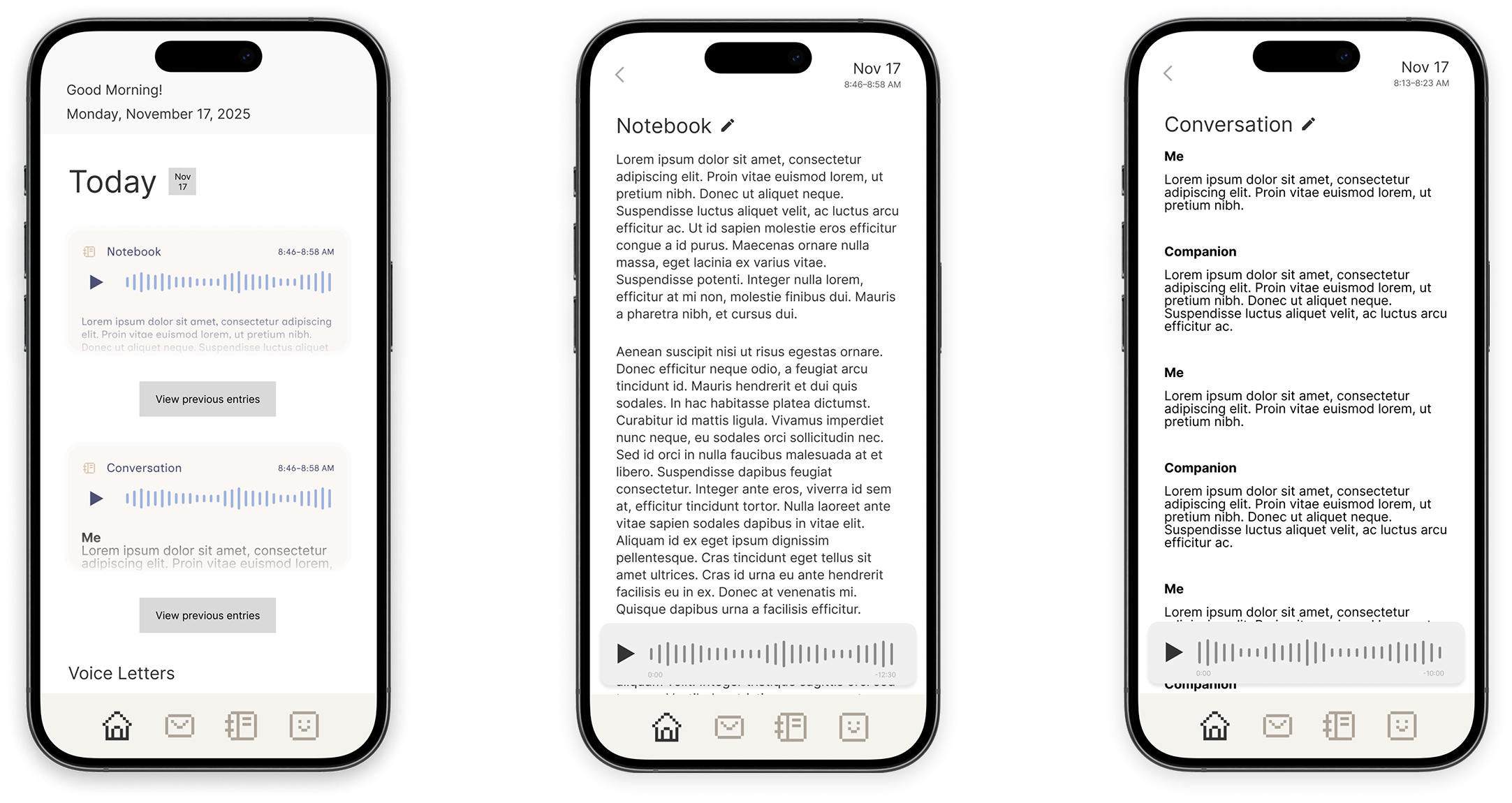
Finally, we also had our users test a prototype of our supporting app for the companion to test for any glaring usability issues and get feedback on features they might want to see.
These were our main findings:
  • App Value & Necessity: Participants initially expressed mixed feelings about whether a companion app was needed, but testing revealed its primary value lay in documentation—serving as a necessary archive for voice letters and notes that drivers felt were unsafe to review or manage while the vehicle was in motion.
  • Desire for Transcript Summarization: Users looked for more utility in the "transcripts" feature, suggesting that the app should automatically summarize conversations and notebook entries rather than just listing them textually, allowing for quicker review after a drive.

05

Final design

Meet Tini the Teddy!

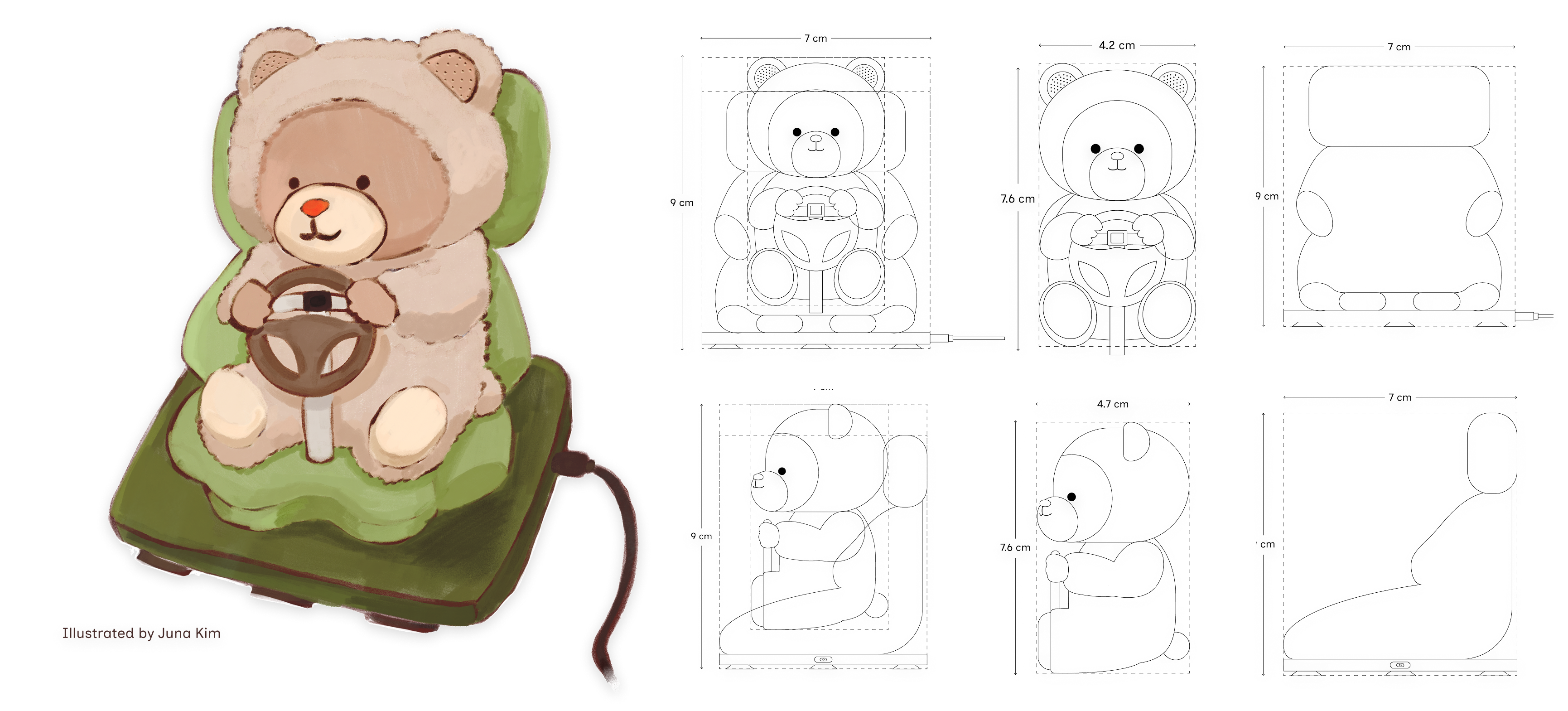
Tini is a compact, voice-based AI teddy bear-style driving companion designed to keep you awake, engaged, and safe on the road. It's designed to sit on your car's dashboard, and it uses an LLM-based agent to maintain natural conversation. It connects via USB-C and features a touch-sensitive nose for manual activation, with microphones embedded in the ears for clear voice input. A suction cup base ensures the companion remains stable while the vehicle is in motion.
  • LLM Intelligence: Unlike standard voice assistants, Tini uses an LLM-based agent to handle infinitely dynamic conversations, maintaining context rather than relying on rigid command prompts.
  • Proactive Nudging: Leveraging the "social facilitation" theory, Tini monitors silence. If the driver does not speak for 5 minutes, it proactively initiates conversation ("How are you doing?") to re-engage the driver's brain.
  • Voice Letters: Users can exchange audio messages with friends who also have Tini the Teddy in their car, giving drivers an engaging source of stories to listen to during their boring commutes.
  • Voice Notebook: A productivity feature that allows drivers to capture fleeting thoughts, such as grocery lists or work ideas, hands-free. Drivers can offload mental tasks without distraction.

Companion App

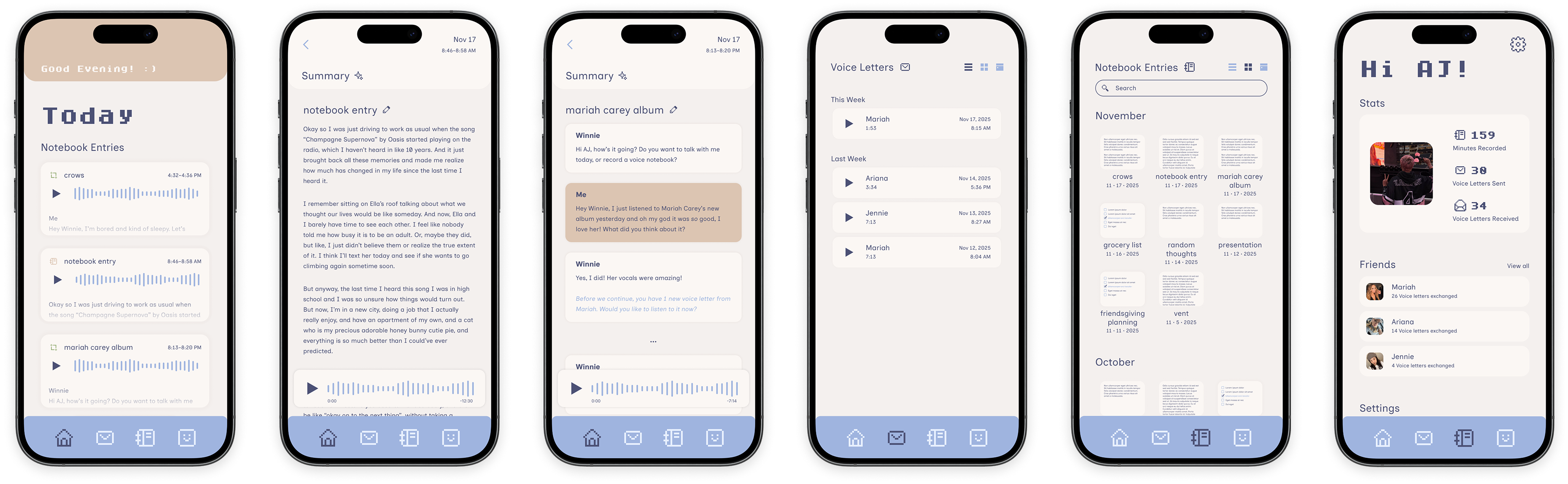
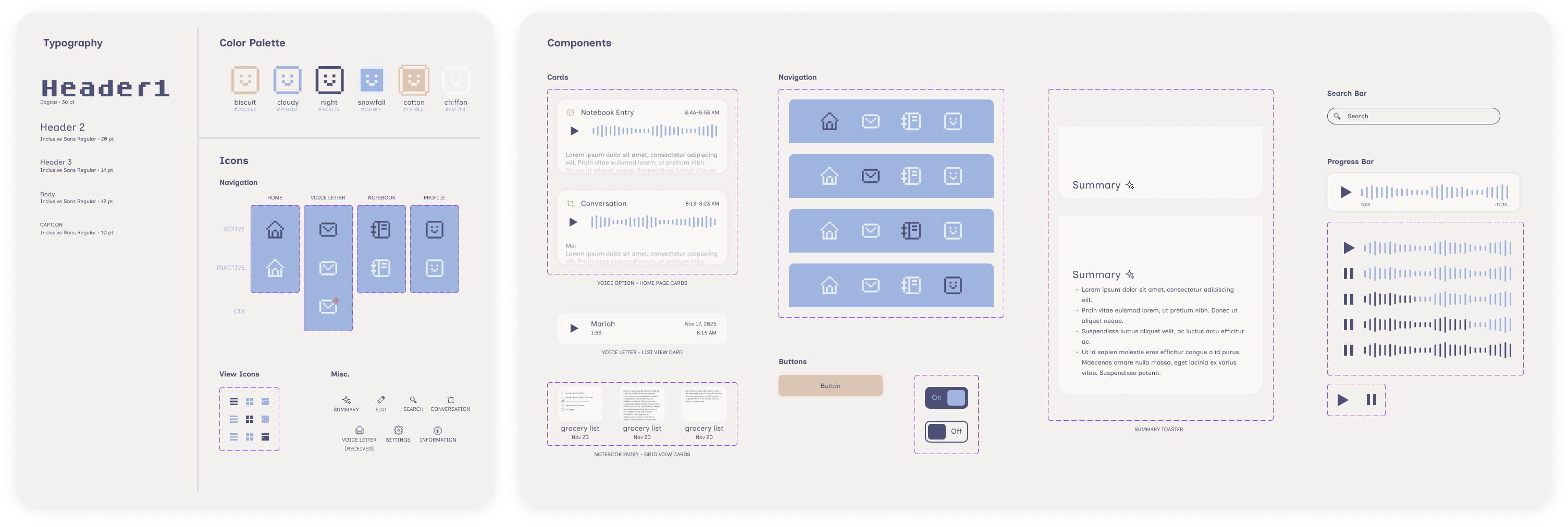
While the experience of using Tini is screen-free to prevent distraction while driving, the companion app serves as a comprehensive repository for the commute, allowing users to review their interactions once safely parked.
  • Core Functionality: The app features a Home Page for quick access to recent entries and a dedicated Voice Letters page to view a history of messages received from friends. It also includes a Profile page for managing the friends list and reviewing usage statistics.
  • Smart Review & Transcription: Users don't just listen to audio; they can view seekable text transcriptions of their Notebook entries and conversations. The app also utilizes AI to generate summaries of these recordings, allowing users to quickly recap the content of a drive without listening to the full audio file.

Style Guide & Components

Interactive Prototype

06

Reflection

What I learned

I learned firsthand that environment is part of the interface. While managing our pilot tests in the classroom, I noticed that participants struggled to feel immersed, but moving our "Wizard of Oz" setup into a real vehicle immediately exposed physical constraints we had missed—like the plushie blocking the windshield. This experience taught me that in-situ testing is non-negotiable for validating safety and ergonomics in hardware design.

A work on the initial research challenged my assumption that conversation is always a distraction. Through interviews and social listening, I discovered that users actually rely on "social facilitation" to stay alert. This reinforced for me that user psychology often defies surface-level logic, highlighting the importance of validating how users perceive cognitive load through qualitative research rather than relying on general heuristics.

Finally, witnessing users try to use our "Diary" feature for grocery lists during testing was a pivotal moment for me. It demonstrated that users will often repurpose tools to fit their immediate needs regardless of the original design intent. This taught me that successful UX requires adaptability, leading me to advocate for the pivot to the "Voice Notebook" to align with the productivity behaviors I observed in the car.

In retrospect...

  • I noticed that while users loved the idea of the Voice Notebook, the interaction felt a bit open-ended during testing. Users often forgot what they could say or how to trigger the specific productivity features. If I had more time, I would have designed a specific "guided mode" or a cheat-sheet onboarding card for the dashboard to help users build the mental model of Tini as a productivity tool, rather than leaving them to guess its capabilities.
  • If I were to start this project over, I would prioritize researching the technical integration with car infotainment systems (like Apple CarPlay or Android Auto) much earlier in the process.